

How do I start using Receipts/Payments Manual Allocation?
Note: If you start using receipts payments manual allocations, you will need to manually allocate customer/supplier transactions (when they are paid/allocated), or they will be seen as unpaid/un-allocated within Big Red Book. This includes transactions already added in the current year in Big Red Book, transactions from previous years if you had previous years in Big Red Book, and transactions that you add going forward.
To start using this, go to ‘Setup’ – ‘Options’ and switch ‘Receipts/Payments Manual Allocations’ to ‘Yes’.
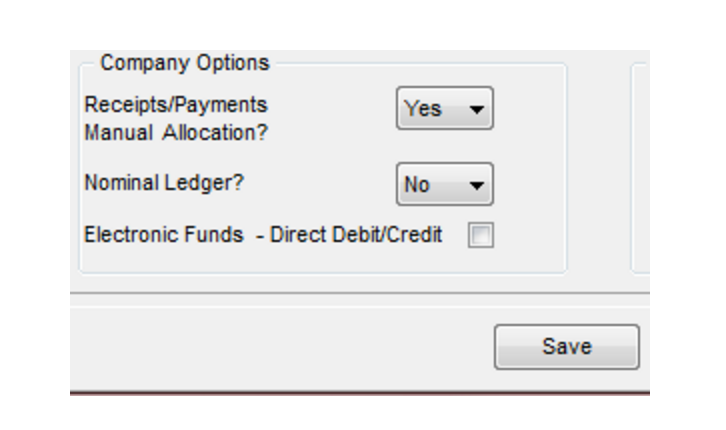
You will now get the option to allocate customer/supplier receipts/payments when you are adding them. You will also be able to allocate them from within the cash book/payments book and within the customer/supplier ledger.
Note: If you are using receipts payments manual allocations and Vat on cash receipts, where the vat is based on the allocation of the receipt, you will need to ‘Submit’ the vat return within Big Red Book. This is not the actual VAT Submission, but it marks the allocated transactions in the period selected (and previous period’s transactions not ‘submitted’) to that period for the Vat on Cash Receipts return in Big Red Book, that way those transactions aren’t ‘submitted’ again in a later Big Red Book Vat on Cash Receipts report.